Skiaform / Guides
Architecture resume: examples and a free template
Write an architecture resume with three fictional examples, practical section advice, ATS checks and a free editable template in Word and PDF.
Your architecture resume gives someone a short account of the work you can contribute. Start with the filled examples below, then use the section advice to write your own.
Architecture resume examples
These three fictional samples cover an internship application, a first job and a designer with about two years of experience. All names, organizations and achievements are invented for the samples. Replace every detail before applying; borrow the structure and the level of detail.
Architecture student resume for an internship
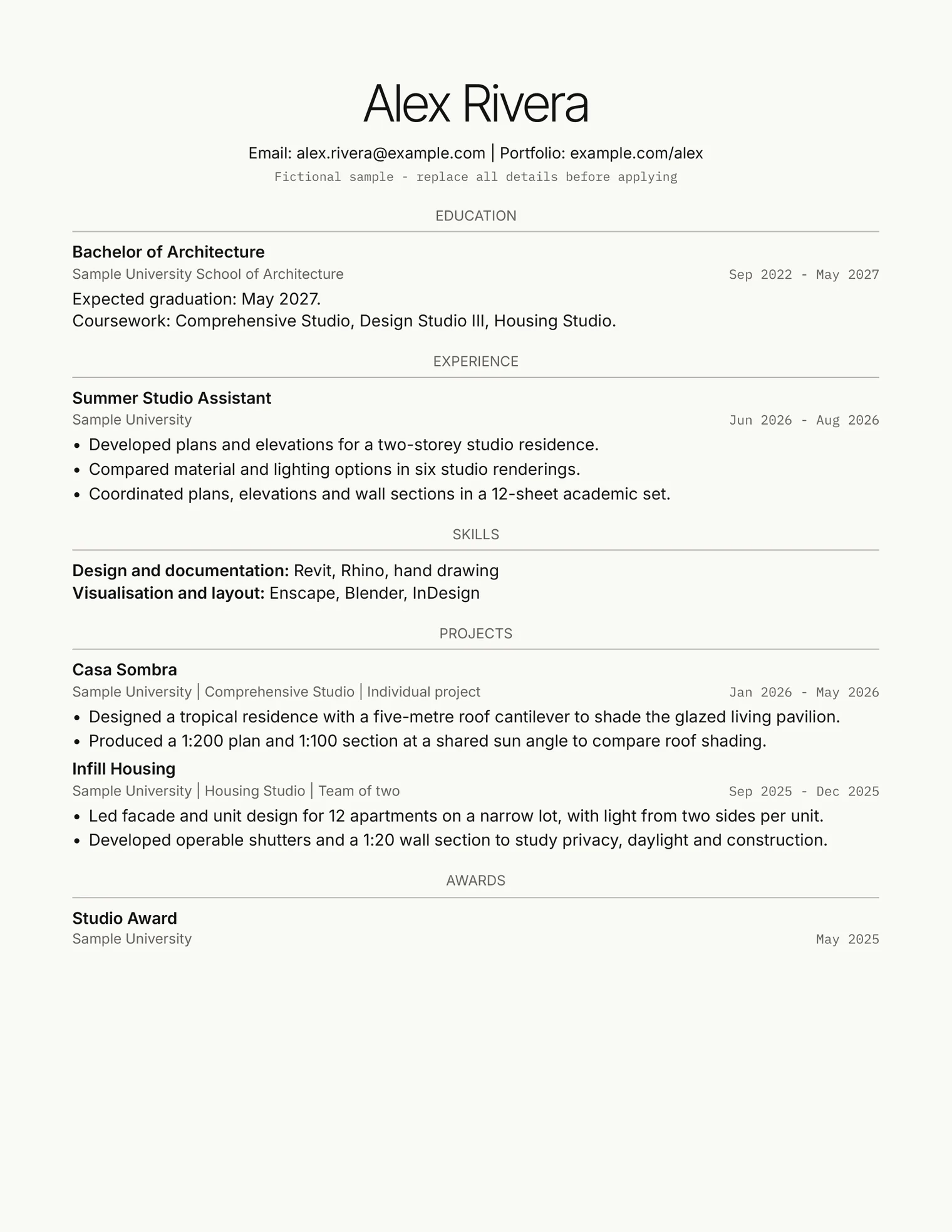
Alex Rivera's fictional architecture student resume puts education first, with an expected May 2027 graduation date that makes the student's stage clear. The summer assistant role names plans, elevations and wall sections within a 12-sheet academic set, giving you a concrete model for describing drawing work. The projects distinguish an individual residence from housing completed in a team of two, then identify Alex's facade and unit design contribution. The Studio layout keeps the sections visible through centered labels and fine rules without adding project images to the resume.
Recent graduate resume for a first role
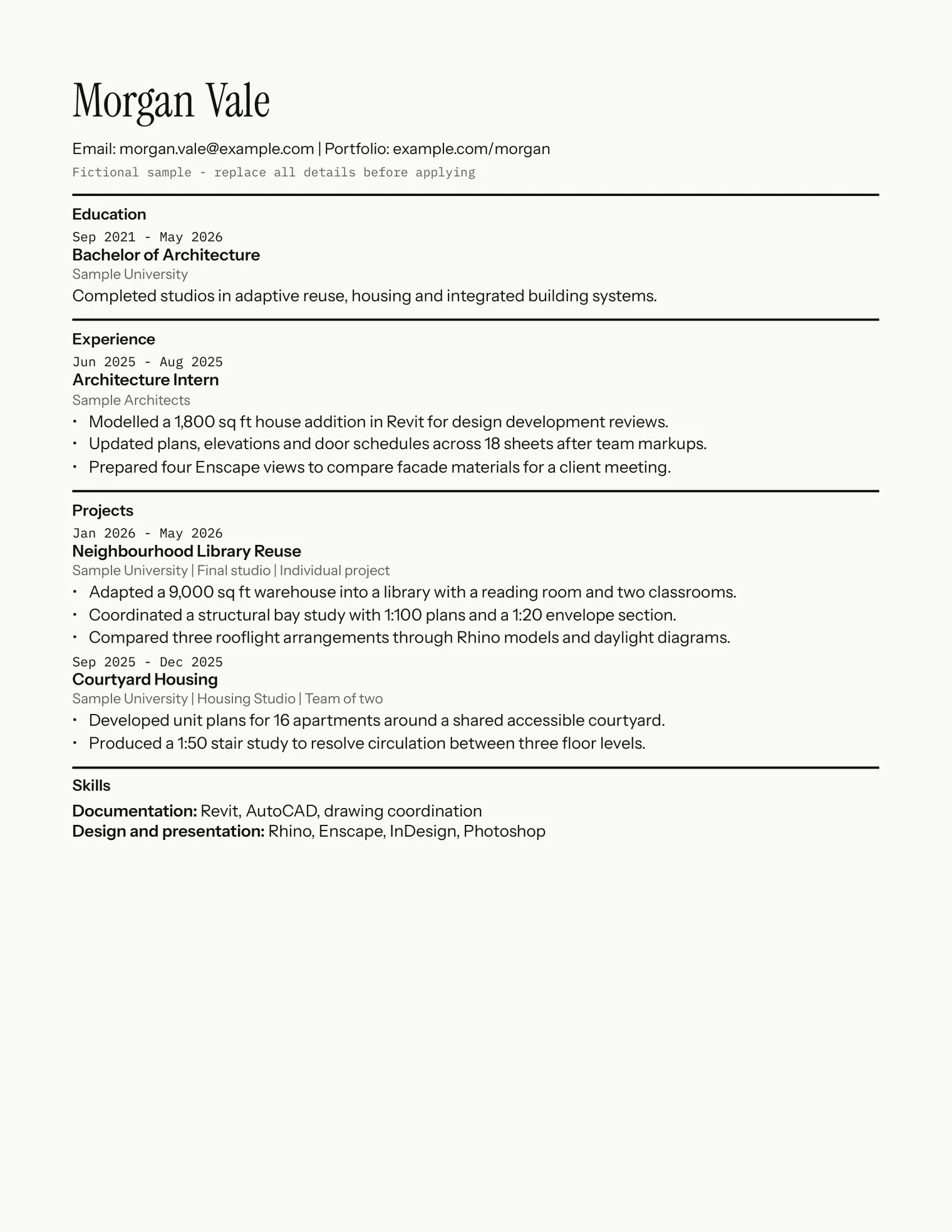
Morgan Vale's fictional graduate sample connects an internship to final studio work, so you can see both office tasks and academic design decisions. The internship bullet about updating plans, elevations and door schedules across 18 sheets explains the extent of the drawing work. A separate bullet identifies design development reviews, while the library project names drawing scales and an envelope section. The Section layout places dates before titles, giving you a consistent sequence to follow when you replace the sample entries.
Architectural designer resume with two years of experience
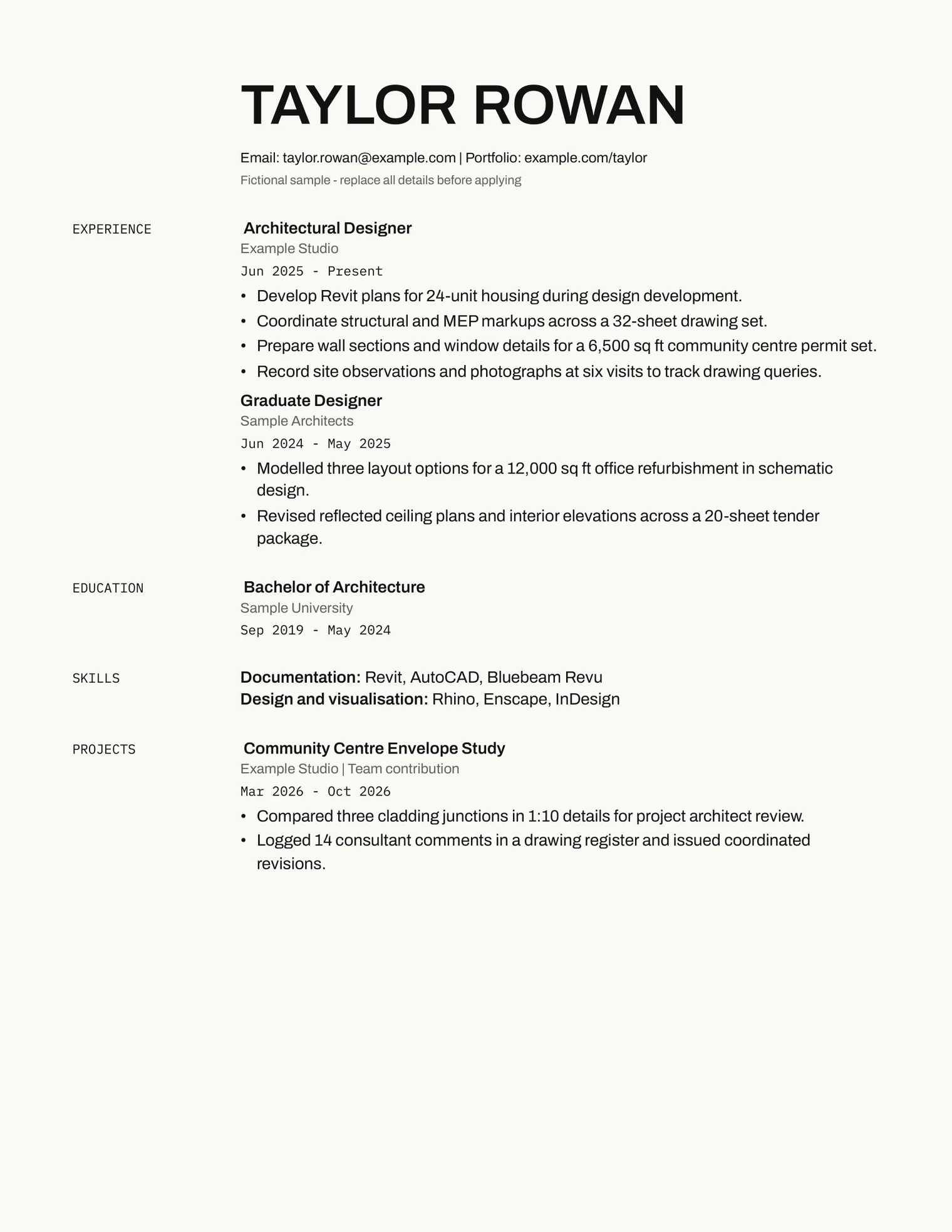
Taylor Rowan's fictional sample leads with experience, with roles running from June 2024 to the present date of November 2026. You can see the difference between developing Revit plans for 24-unit housing and coordinating consultant markups across a 32-sheet set. The community center entry identifies a team contribution and names the details prepared for project architect review. Margin uses hanging labels and indented paragraphs within one text flow; its appearance does not establish how a live application parser will interpret those labels.
What to put in each section
Start with your name, email and portfolio address as ordinary text at the top. Keep project titles and dates consistent across your application files. If you are looking at architect resume examples for wording, choose descriptions that fit your actual responsibilities and use your actual job title.
Education
Give your degree, school and graduation month and year. If you are still studying, label the date as expected. Put education near the top while your studio work is your strongest evidence; move experience above it when your office work gives a fuller account of your abilities.
Choose coursework that helps explain the application. A comprehensive studio or building systems course can provide context for a technical project. Remove long course lists when the project entries already explain that work.
Experience
Group each title with its organization, dates and descriptive bullets. Use the form action + what + scale or result. The graduate sample's bullet, "Updated plans, elevations and door schedules across 18 sheets after team markups," tells you what changed and how much material was involved.
Name drawing types such as reflected ceiling plans, wall sections, interior elevations or door schedules when you worked on them. State the phase, such as schematic design or design development, when you know it. Use verbs that match your responsibility: preparing details for review describes a different contribution from approving them.
Use quantities you can substantiate. Sheet counts, alternatives compared and project areas can explain scope without claiming a financial or performance result. If you have no office experience, identify academic assistant work or other relevant employment accurately and give studio projects enough space.
Projects
Choose projects that support the role you want. Give each a title, context, date and your contribution. Label academic work clearly. For a team project, state the team size where useful and name the part you produced, such as unit plans or an envelope study.
Describe a design decision through its drawings or models. Alex's residence pairs a roof cantilever with a plan and section used to compare shading. Morgan's library describes rooflight alternatives and daylight diagrams. Use your own evidence at this level of specificity, and keep project descriptions short enough to scan.
Skills
Group software by the work you can do with it. The examples use headings such as Documentation and Design and presentation. Include Revit or AutoCAD when you can explain the drawing tasks you completed, and list visualization or layout tools you actually use.
Write software names plainly and describe an unfamiliar skill in words. Omit percentage bars and star ratings: a statement about producing coordinated plans gives you something specific to discuss. Remove software you only opened for a tutorial if you cannot use it for the work described.
Awards
Include the award name, awarding organization and date. Alex's sample has one Studio Award entry. Remove the heading if it would be empty.
Keep the resume to one page
Use one page for a student or recent graduate application. Edit repeated project descriptions and unrelated coursework before reducing type size. For two or three years of experience, try one page first and give recent office responsibilities more room than early coursework.
Every delivered sample here is one page. Longer replacement content can change pagination, so check your edited file and its exported PDF. A minimalist resume template still needs enough room for legible bullets, dates and section headings.
Connect the resume to your portfolio
Prepare the resume to be read first; use the portfolio to prove the work it describes. A bullet about a wall section should lead to a project where you can explain that section and your role. Use matching project titles so the reader can make that connection.
Keep drawings in the portfolio and place its address near your email. The architecture portfolio layout guide covers how to organize those pages. If you want a starting layout for the portfolio itself, see the architecture portfolio template.
What applicant tracking systems need
An ATS friendly resume template needs readable text and a clear document structure. No template can guarantee how an employer's system will parse or rank your file. The precautions below come from published guidance, followed by what was checked on these files.
Documented precautions
Greenhouse's parsing guidance identifies columns, graphics, image resumes, complex tables, headers and footers, contact text boxes and unclear sections as parsing risks. It also says fictional data can be skipped and gives its service a 2.5 MB parsing limit. That limit applies to Greenhouse.
Penn State Engineering recommends familiar fonts, conventional headings, tabs and ordinary bullets or commas. It advises against graphics, tables and text boxes, and lists DOC, DOCX and PDF formats. Its one-inch-margin recommendation does not establish a universal parser requirement.
UC Santa Barbara recommends graduation month and year and grouping the organization, title, dates and descriptive bullets. The University of Illinois recommends whitespace, consistent alignment and conventional readable layouts, with a warning about font and layout portability.
What was checked here
Every Word and PDF file in the free and paid downloads, 51 pairs in all, was checked by extracting its text and comparing the order against the original content. Each file is one page. The Word files have a single text flow with no tables, text boxes, images, headers or footers, and the PDFs contain selectable text with embedded fonts.
The files were not run through a live applicant tracking system, and they were not opened in Google Docs or Microsoft Word; the Word files were rendered with LibreOffice. The hanging labels in the Margin layout and the tab-aligned dates in the others are the parts a real parser is most likely to handle differently.
Advice the sources do not support
You will read that PDF always fails, that Word always passes, that any custom font gets a resume rejected, and that a tool can give your resume an ATS score. None of the sources above says so. After you upload your file, read the application fields the system filled in and correct anything it got wrong.
Word or PDF: follow the application instructions
Send the format the employer requests. If it asks for Word, use the edited DOCX. If it asks for PDF, export your completed document and open that exact file before attaching it. The free download includes both formats.
Check line breaks, dates and links after editing or changing fonts. To check the reading order yourself, copy the text out of your exported PDF and paste it into a plain text editor. It should come out in the order you wrote it.
Write a short architecture cover letter
Use your architecture cover letter to connect one relevant piece of work to the position. Name the role, explain why the firm's work interests you using something you have actually reviewed, then describe your contribution to a related project. Close with your availability and portfolio address. The architecture cover letter guide goes through each paragraph with two fictional examples.
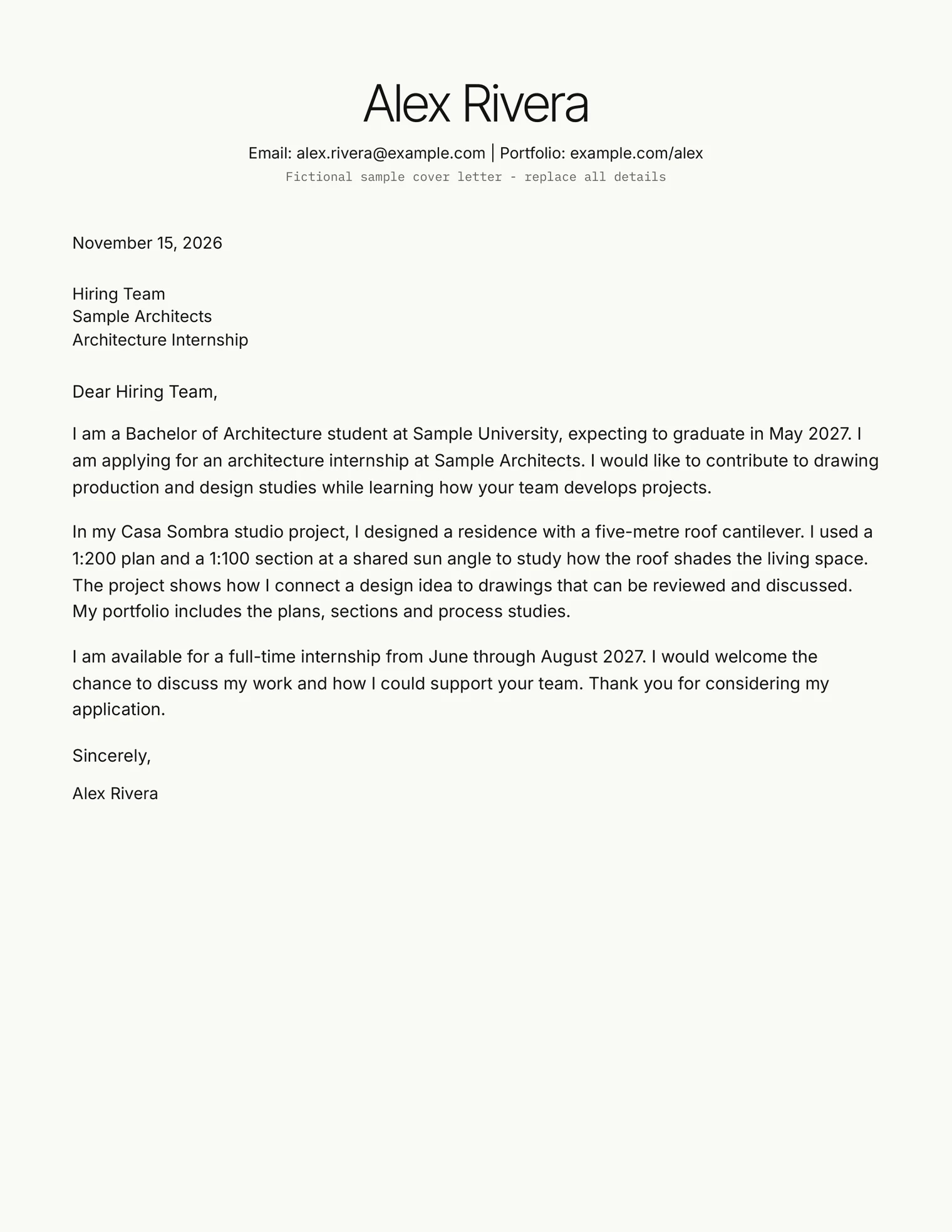
Keep the letter specific to the firm and consistent with your resume. The free download includes a matching letter with editing prompts, and the paid set's matching letters contain three short sample internship paragraphs. Replace those paragraphs with your own reasons and evidence, and check the recipient and position before sending.
Download the free architecture resume template
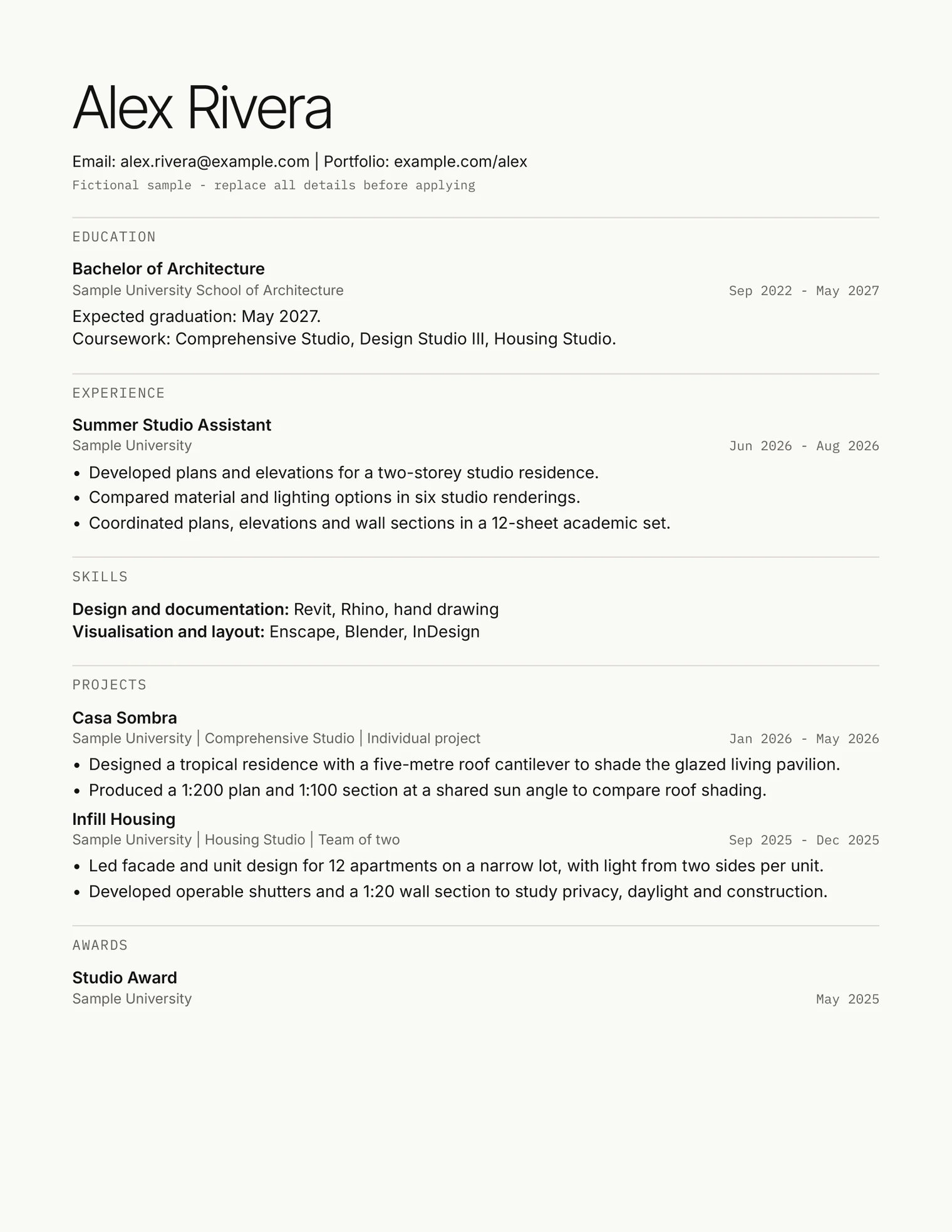
The free ZIP contains one resume layout and a matching cover letter in type set A, in US Letter and A4 sizes. Each size comes as an editable Word file and a text-based PDF, with a short README and links to the free fonts.
Read the font links and fallback instructions before editing; fonts are not bundled. Replace all fictional details and check the page count with your content. Enter your email in the free template signup to reveal the ZIP download link after a successful signup.
Skiaform Resume Set: coming soon
Skiaform Resume Set
$7
Launch price. It may go up later.
Not on sale yet.
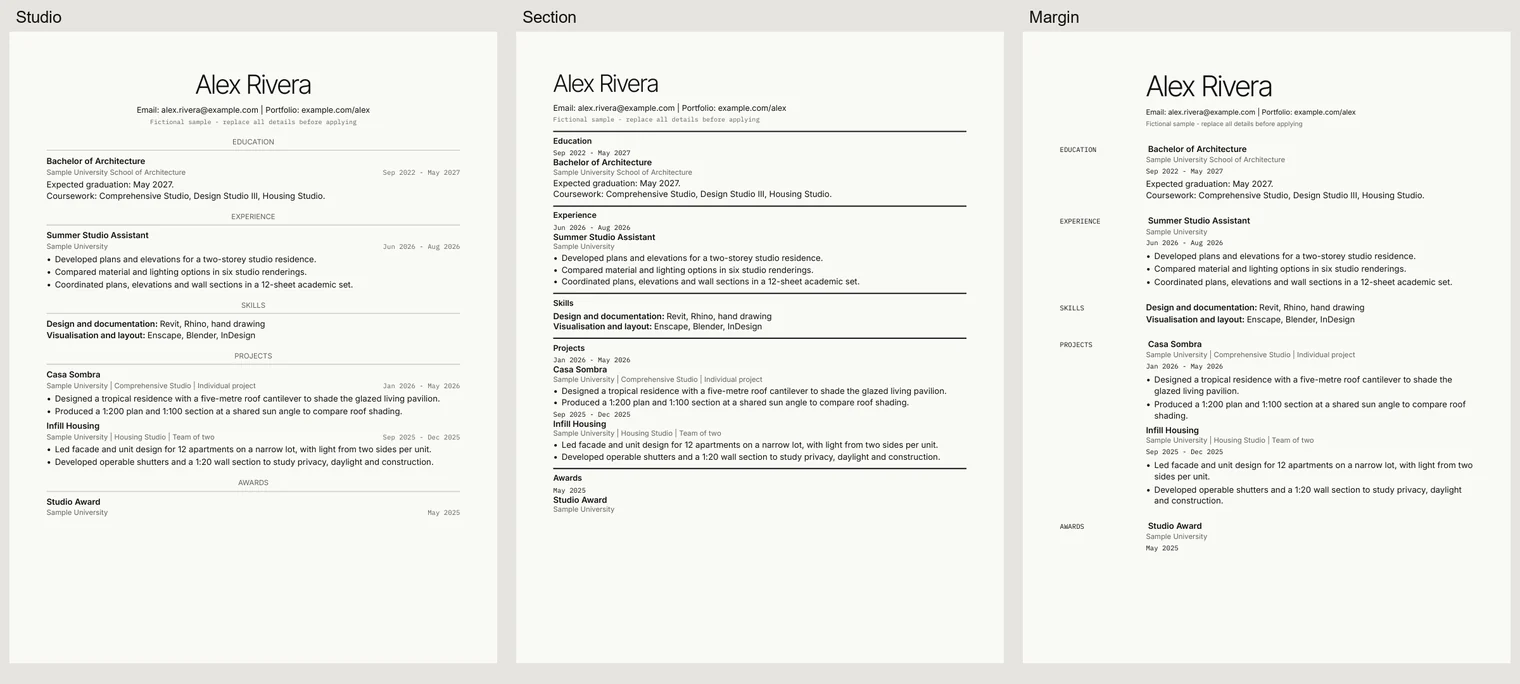
- Four resume layouts: Free plus Studio, Section and Margin, in three font sets and Letter and A4 sizes. 24 DOCX and 24 PDF resume files.
- Matching cover letters for all four header styles in the same combinations. 24 DOCX and 24 PDF cover letter files.
- Three additional editable DOCX examples: student, graduate and designer.
- A README, plain-language ATS notes and links to the free fonts. 105 files in total.
The three additional layouts are Studio, Section and Margin. Studio centers its name and contact block above fine rules. Section uses heavier rules with dates before titles. Margin uses hanging labels and an indented body in one text flow. A, B and C are font sets, so each layout comes in three typefaces.
Check before sending
- Replace every fictional name, organization, date and achievement.
- Match your actual role and contribution to each experience and project.
- Check that drawing types, software and project phases are accurate.
- Open your portfolio link and match its project titles to the resume.
- Follow the employer's file-format instructions and inspect the final attachment.
- Check pagination and extracted text, then review imported application fields.
- Read the firm name and position in the cover letter once more.
Choose the fictional example closest to your experience, write your own section content, then get the free template to put it into an editable document.
FAQ
How long should an architecture resume be?
Use one page for a student or recent graduate application. With two or three years of experience, start with one page and prioritize recent work. This is an editing recommendation; the documented ATS sources do not impose a universal one-page rule.
Should I include a photo on my architecture resume?
Leave it out of the text-based version recommended here. Keep your name and contact details as ordinary text. Greenhouse identifies graphics and image resumes as parsing risks; follow any explicit application instructions you receive.
Should I send my resume as PDF or Word?
Follow the employer's stated format. Check the completed file after editing and export. The free template includes DOCX and text-based PDF files, and neither format comes with a guarantee of ATS acceptance.
Do I need a different resume for each firm?
Keep a complete working version, then select the experience and projects relevant to each position. Adjust their order and emphasis using your actual work. Check that the portfolio supports the projects you mention and that your cover letter names the correct firm.
What skills go on an architecture resume?
List software and drawing skills you can explain through completed work. Group documentation tools separately from design and presentation tools if that helps readability. Name tasks such as drawing coordination or producing wall sections, and describe your level honestly.
Is the free template ATS friendly?
It follows the published precautions: one text flow, standard headings, and no tables, text boxes, images, headers or footers. Its text extracts in the right order. It was not run through a live applicant tracking system, so check the fields after you upload.
Can I use the template for interior design?
You can adapt the editable sections to your interior design applications. Use your actual degree, title and project responsibilities, with relevant drawings such as interior elevations or reflected ceiling plans where you produced them. Check the edited page and follow the employer's instructions.
Get the free resume template
Sign up with your email to reveal the ZIP: a resume and a matching cover letter, Letter and A4, in DOCX and PDF.