Skiaform / Blender MCP
Free alpha 0.1.0-alpha.2
Blender MCP for architects: build a BIM model with AI
For architects who work with Claude Code, Codex or Cursor
Skiaform Agentic BIM is a free Blender add-on. Ask your AI assistant to add walls, openings, slabs, roofs or stairs. It can check and export the model. Press Ctrl+Z to undo a change.
64-bit Windows · Blender 5.1.x · No account · Setup steps
- Free, no accountNo payment and no sign-up
- Runs inside BlenderThe connection to your assistant is built in.
- One add-on to installIncludes the tools for working with building models.
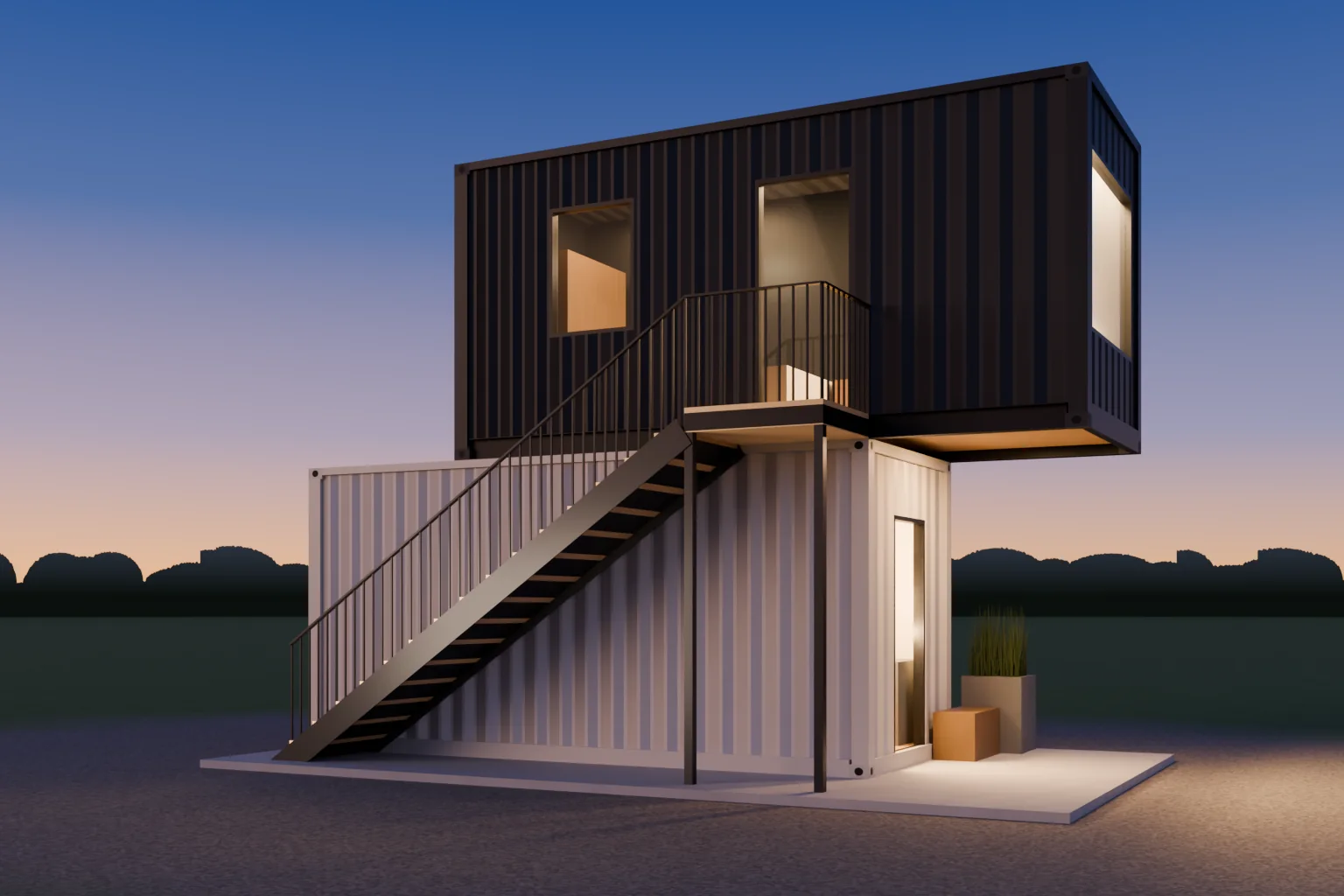 Rebuilt model
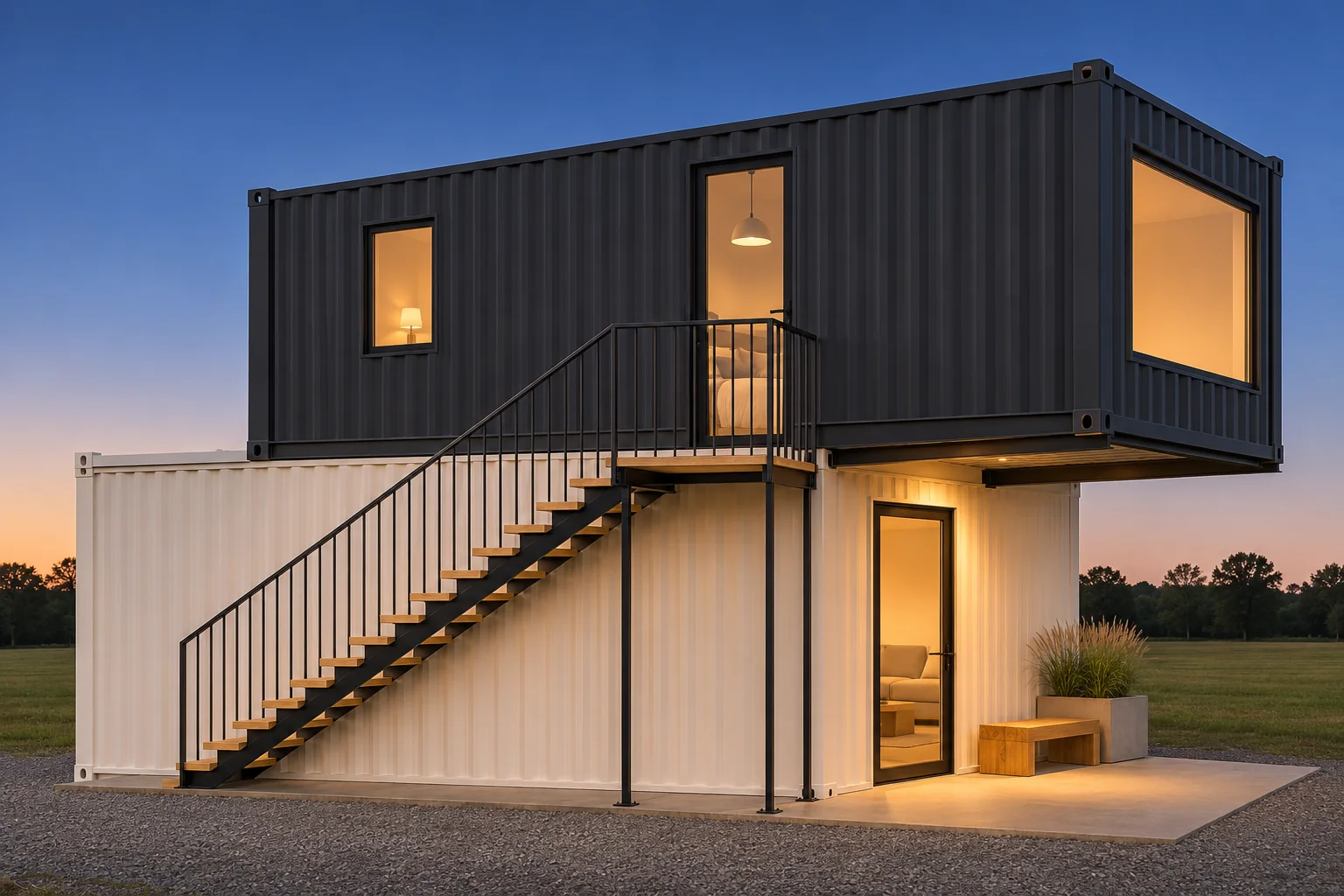 AI concept image
Three house concepts rebuilt in Blender
Each house started as an AI concept image. A script rebuilt it with the same editing tools your assistant can use, proposing each change before applying it. The floor plans and sections below come from the same models.
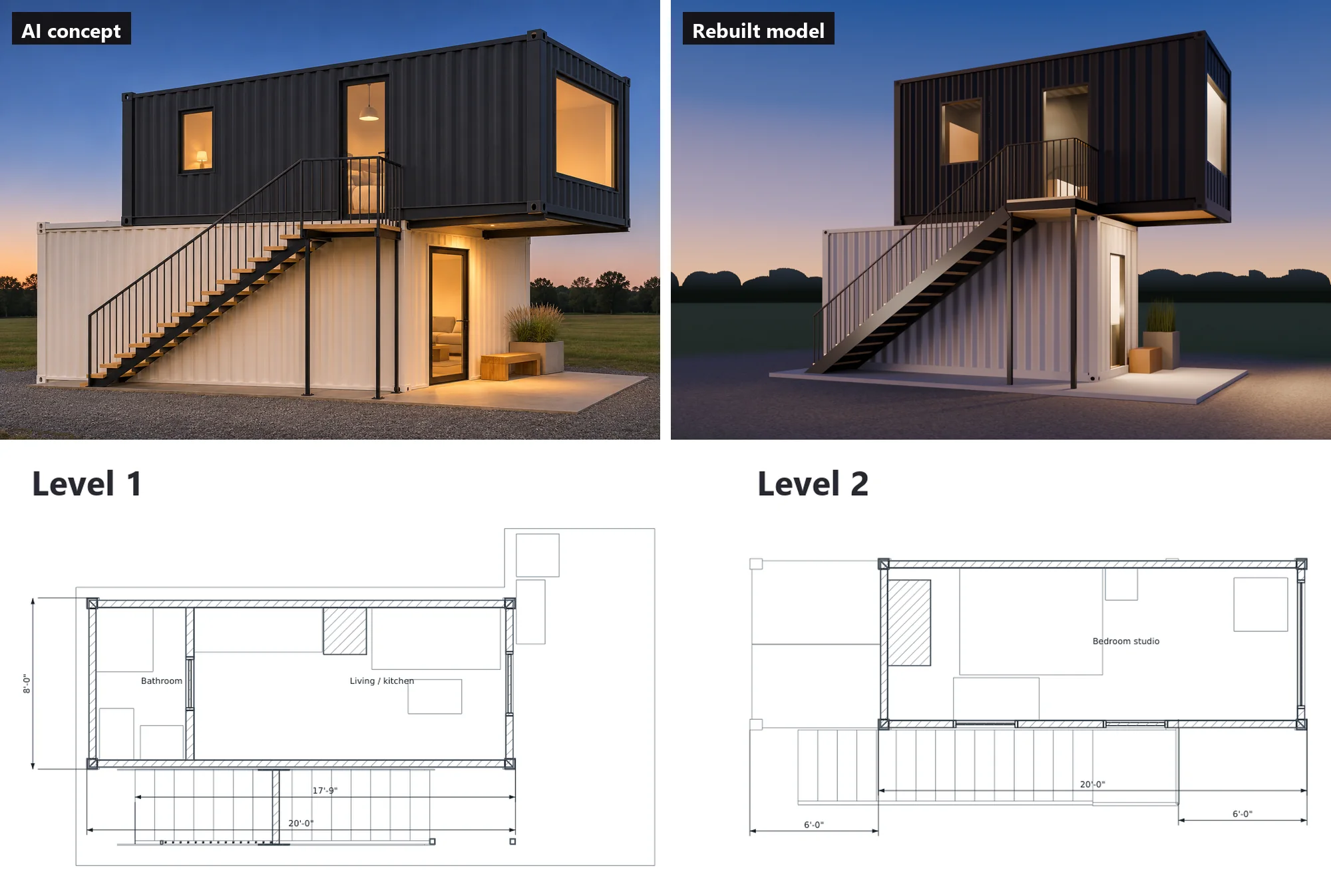
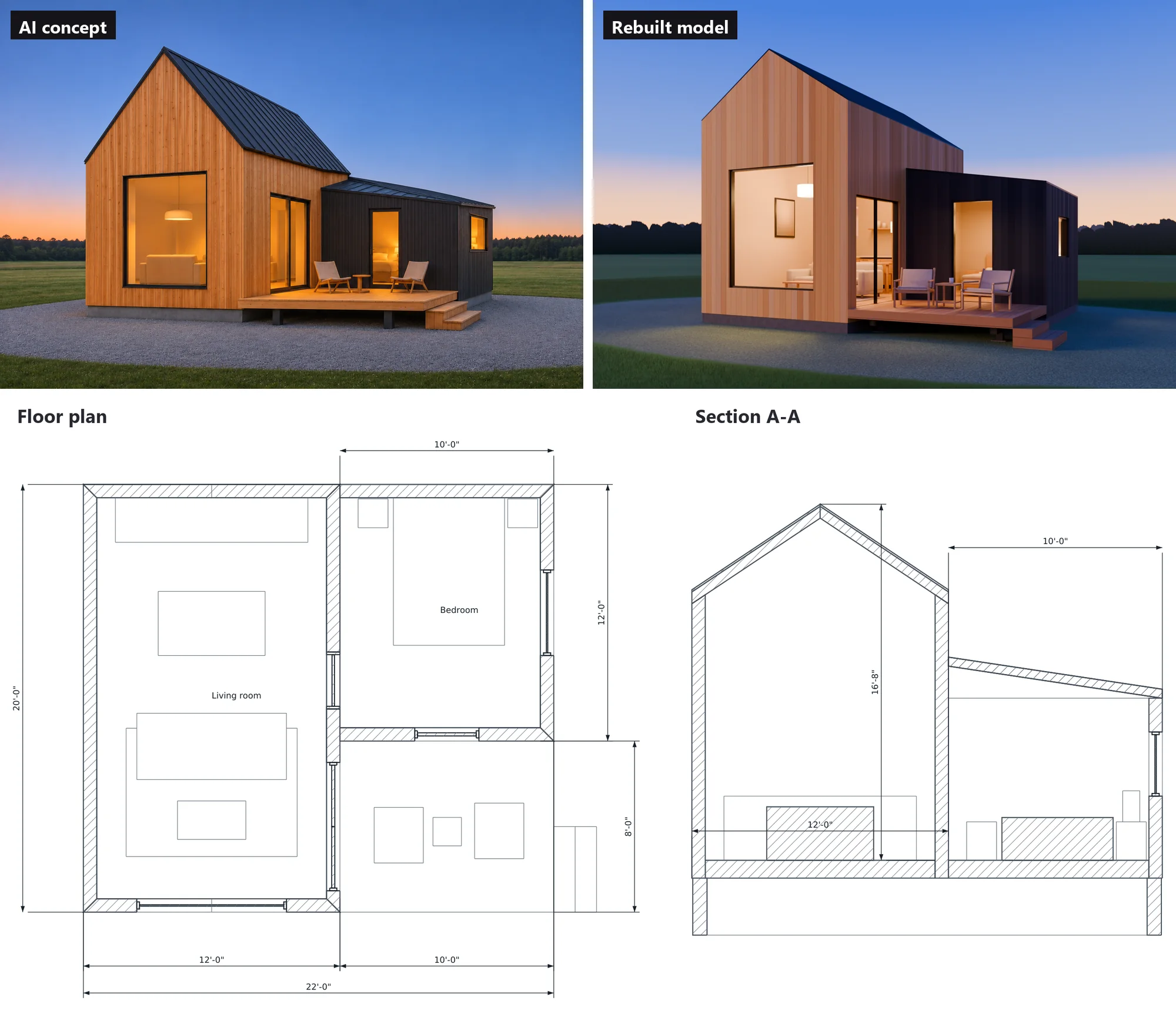
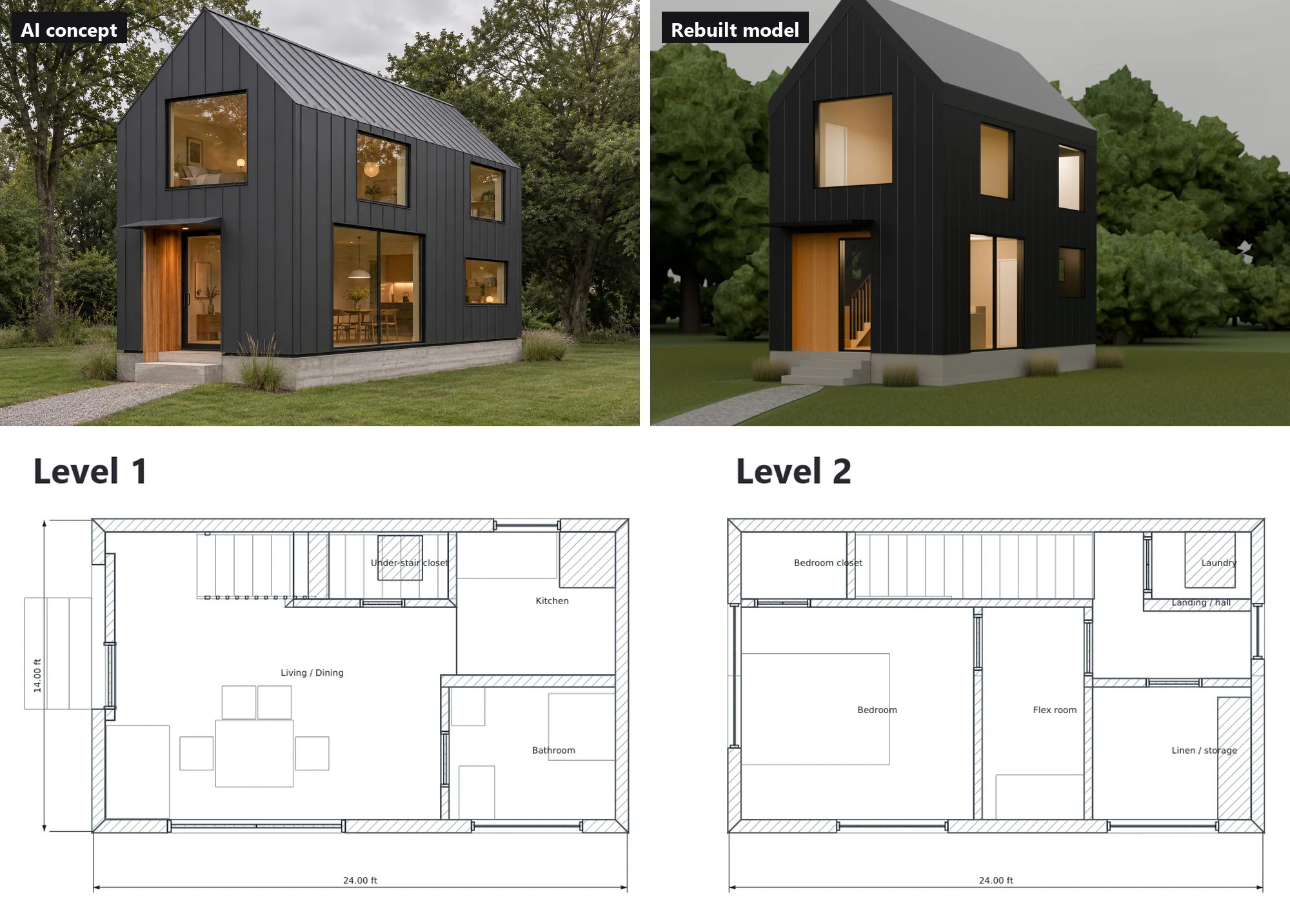
Download the floor plan PDFs for these houses for free: tiny house plans and shipping container home plans.
- house concepts rebuilt as editable models
- 3
- issues reported by the add-on’s checks on each model
- 0
- edits made directly to the scene or building file
- 0
- drawing sheets exported from the same models
- 5
Connect Claude Code, Codex or Cursor
The add-on connects Blender to your assistant on your computer. Set it up in four steps.
- 1
Install the extension
In Blender 5.1.x on Windows, install the add-on from the downloaded file. It includes everything the add-on needs.
- 2
Turn on the connection
In the Skiaform sidebar, open or create a project workspace (
.skiaform). Turn on Allow Online Access in Blender. In the add-on preferences, press Start local MCP. - 3
Connect your assistant
In Blender, press Copy Claude Code, Copy Codex or Copy Cursor. In that app, open the connection settings labelled MCP and paste what you copied.
- 4
Ask for a change
Ask your assistant to add a wall. It checks which model is open and which edits it can make. Then it proposes the change and applies it.
Screen recording to come
Claude Code proposes a wall and adds it. The wall appears in Blender.
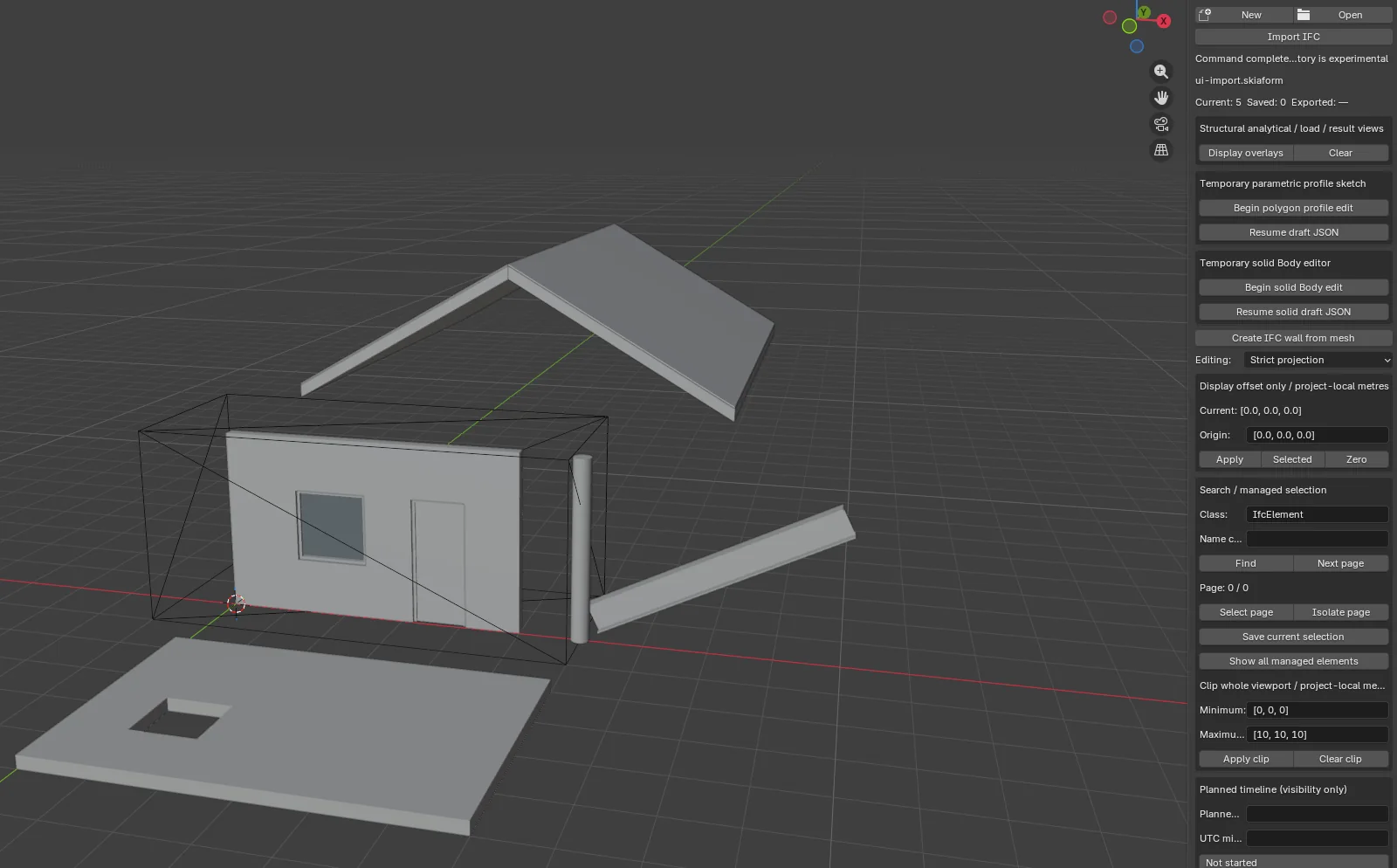
For other AI apps on the same computer, see For developers.
Use Claude Code for the alpha. Claude Desktop needs a separate developer setup.
What your agent can build
These tools come with the alpha. The list covers features marked ready to try or stable.
Walls
Straight or inclined walls, layered wall types, and L and T joins. Wall tops can be trimmed to the underside of a gable roof.
Doors and windows
Add an opening in a wall and fit it with a closed door or a fixed, single-panel window. The door or window follows the opening.
Slabs and roofs
Slab outlines, holes, thickness and elevation. Gable roofs and other roofs, with roof and floor coverings.
Storeys and rooms
Set up floors, define rooms and group them into zones.
Stairs and railings
Stairs, ramps and railings.
Beams and columns
Choose a rectangular, circular, I-shaped or hollow section. You can also draw a section with straight sides.
Building information
Assign types and classifications to building parts. Add properties individually or in groups.
Quantities
Areas and volumes for walls, openings, slabs, roofs, beams, columns, spaces, doors and windows.
Sheets and schedules
Export drawing sheets as PDF or SVG files. Export schedules for a spreadsheet.
Check and export
Check the model and export an IFC file. IFC is a standard format for sharing building models between design tools. Choose metres, millimetres, feet or inches.
What happens when your assistant edits the model?
Skiaform gives your assistant a defined set of building edits. Each change takes two steps.
If the model has changedThe add-on stops the edit. The assistant prepares a new one using the latest model.
If an edit is refusedThe add-on explains the problem and leaves the model as it was.
If an edit fails halfwayThe add-on restores both the building model and the Blender scene to their previous state.
If the assistant retriesThe add-on recognises the same request and returns its first result. A retry can’t add a second wall or opening, even after you reopen the project.
The same tools for you and your assistant
Each tool accepts specific instructions. Edits made through the add-on in Blender use the same tools as edits made by your assistant.
Limits on the assistant
The assistant can use only the building tools the add-on provides.
Connections on this computer
A connecting app needs an access key and must run on your computer. The add-on blocks requests from web pages.
Screenshot to come
Claude Code checks the model, proposes an edit and applies it. A second request shows how the add-on explains a refused edit.
After the alpha
These features are planned for later. There are no release dates.
- On the roadmap
Drawing sets
More complete sets of drawings from the model.
- On the roadmap
Schedules
More schedule types.
- On the roadmap
Element types
More kinds of building elements.
- On the roadmap
Building services
Mechanical, electrical and plumbing.
- On the roadmap
Cost
Cost work from the model.
- On the roadmap
Construction scheduling
Linking the model to a construction schedule.
Alpha limits and requirements
Try this early version with a small building model on a Windows PC used by one person.
Alpha limits
- Requires 64-bit Windows and Blender 5.1.x.
- Use a PC you have to yourself. The alpha offers no protection against other accounts on that PC.
- We recommend up to about 100 building parts per model. Larger models are untested.
- Save projects on a local drive formatted as NTFS. Avoid network drives and folders that sync to the cloud. Recovery after a power cut is unverified.
- The alpha cannot change the shape of building parts in an imported model file.
- The alpha writes one version of the exchange file. Use your usual design software for production work.
- The alpha has no tools for curved walls, dormers, layered slabs, footings or stair stringers. A wall can join only to another wall created with the add-on.
- The add-on does not calculate quantities for stair landings or walls made from a surface mesh.
- Find exported files in your project’s
exportsfolder. - You can choose to record moves and rotations made with Blender’s own tools. Changes in scale are excluded.
- Blender may merge two undo steps that have the same label.
- The download excludes checks for overlapping parts, checks against information requirements and tools for exchanging model issues.
Requirements and credits
- Requires 64-bit Windows. We tested the alpha on Windows 11. Windows 10 is untested.
- Install the add-on in Blender 5.1.x. Later versions are currently unsupported.
- The add-on runs on its own. You can use it without Bonsai.
- See For developers for the included software and its licence.
Skiaform Agentic BIM is independent of the Blender Foundation, the Bonsai project and the IfcOpenShell project. None endorses it.
FAQ
What is Blender MCP?
MCP is the standard way AI apps like Claude Code connect to other software. The add-on connects your assistant to Blender. It gives the assistant tools to edit, check and export a building model.
Which AI agents work with it?
The add-on includes connection settings for Claude Code, Codex and Cursor. We recommend Claude Code if you use Claude. Claude Desktop requires extra setup. Other compatible apps are covered under For developers.
Is it free?
Yes. The alpha is a free download, with no payment and no account. Questions go to [email protected].
How is Skiaform different from Bonsai?
Bonsai gives you tools to design buildings in Blender. Skiaform lets an AI assistant make building edits in Blender. You can install Skiaform on its own.
Does it work on Mac or Linux?
The alpha supports 64-bit Windows only. We tested it on Windows 11. Mac and Linux are untested and unsupported.
Can I use it as a free IFC editor?
Yes, for small models you build with the add-on. You or your assistant can create and edit supported building parts and their properties, check the model and export an IFC file. Editing the shapes in imported files is outside the alpha’s scope.
Which tools can the assistant use?
It can use the building tools provided by the add-on. See For developers for the technical limits.
Is it open source?
Yes. Skiaform Agentic BIM is free and released under the GPL-3.0 licence.
For developers
MCP (Model Context Protocol) lets an AI app call tools inside Blender. General-purpose Blender MCP add-ons can run Python, usually to edit meshes. Skiaform exposes only its published BIM commands. Each has a defined input schema. The add-on offers no arbitrary Python execution.
The server uses MCP Streamable HTTP at 127.0.0.1, on port 8765 by default. Other local clients can connect with Copy URL and Copy token. The bearer token persists across restarts. Rotate token revokes old clients immediately. The server rejects requests from web pages. HTTPS and per-launch tokens are planned for after the alpha.
Claude Desktop custom connectors require a public HTTPS address. A local stdio entry works with the developer adapter, the Skiaform source and a separate Python environment. Claude Code connects directly.
The agent reads the document and revision with bim.session and the available operations with bim.capabilities. It proposes an edit with bim.plan and applies it with bim.commit. The add-on rejects stale plans and identifies refused operations with typed error codes. Failed changes roll back in both the model and the scene. Retrying a commit with the same idempotency key returns the original result, including after reopening the project.
Model checks use bim.validate. Export uses bim.export_ifc. The alpha authors IFC4 only. IFC2X3 and IFC4X3 authoring are unsupported. Clash detection, IDS checks and BCF issue exchange require an additional runtime outside the alpha download.
Skiaform and Bonsai both use IfcOpenShell. Skiaform includes its own copy of IfcOpenShell 0.8.4 under LGPL-3.0-or-later. Skiaform Agentic BIM is independent of the Blender Foundation, the Bonsai project and the IfcOpenShell project. None endorses it.
Try the free alpha
Free for 64-bit Windows and Blender 5.1.x. Check the alpha limits before you start.
64-bit Windows · Blender 5.1.x · No account. Questions: [email protected]
For AI renders of your Blender model, see Skiaform Render.